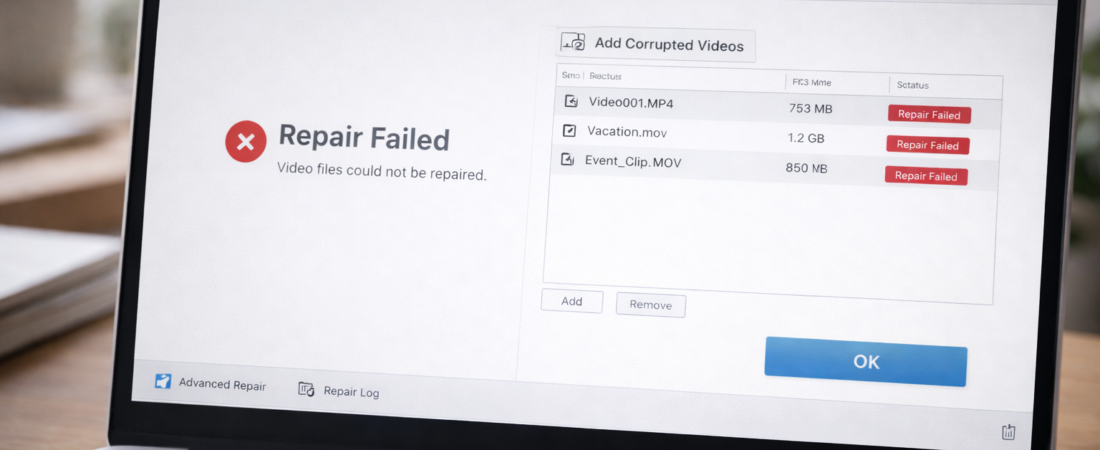
Video repair software can sometimes rebuild a damaged file structure.
It cannot recreate video data that was never saved.
Understanding the difference is important before spending time or money on recovery attempts.
Below are the most common situations where repair software will not work.
1. The File Is Extremely Small (Zero-Byte or Near Zero)
If the file size is only a few kilobytes, the recording likely never completed.
In this case, the file may contain:
-
An empty container
-
Incomplete metadata
-
No actual video stream
Repair software cannot reconstruct footage that was never written to the file.
File size is the first reality check.
2. The Recording Was Interrupted Before Saving Finished
Many cameras and phones finalize video files only after recording stops.
If power was lost before the device completed the saving process, the internal structure may never have been created.
Without that structure, software may have nothing to rebuild.
3. The Storage Device Is Physically Damaged
If the SD card or drive has:
-
Physical damage
-
Severe corruption
-
Large unreadable sectors
The issue is no longer just file structure — it is hardware failure.
Video repair software works on files.
It does not repair failing storage media.
4. The File Has Been Overwritten
If new data has replaced the original file on the storage device, the previous video data may be permanently lost.
Once overwritten, reconstruction is not possible through standard repair tools.
5. The Video Data Itself Is Severely Corrupted
Some files are structurally damaged beyond repair.
If large portions of the video stream are unreadable, software may not be able to reconstruct enough structure for playback.
In those cases, partial recovery — if any — may be the best outcome.
What Repair Software Actually Does
Repair tools typically:
-
Rebuild headers
-
Reconstruct index tables
-
Reorganize damaged container structures
-
Use reference files to recreate missing metadata
They do not regenerate missing footage.
They work only with data that still exists inside the file.
The Practical Rule
If the file size looks normal and the recording mostly completed, repair may be worth attempting.
If the file is nearly empty or the recording never finalized, recovery is unlikely.
For a balanced overview of when video repair software tends to succeed — and when it does not — see Best Software to Repair Corrupted MP4 and MOV Video Files.
That guide explains realistic expectations before you decide whether to proceed.